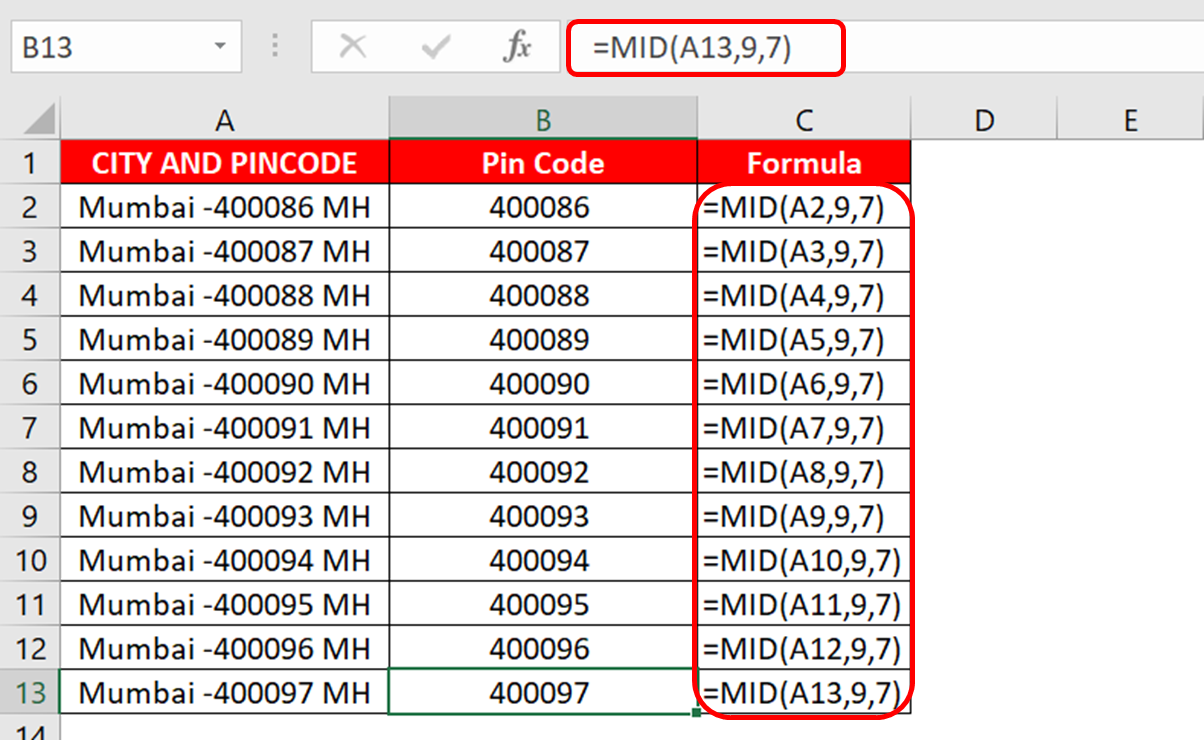
MID Function splits the data from the middle of the character. If you want to remove any character from left or right from a cell in Excel, then you should use LEFT Function, right function.
Syntax
=MID (text, start_num, num_chars)
Text: the text string from which you want to extract characters
start_num: the position at which you want to start extracting characters
num_chars: the number of characters you want to extract
As you can see in the image below that we have a data in which city names are given in Column A and their pin code numbers are also given.
Now we have to separate the pin code from that data. And here we will use MID Function.
Example : =MID(A2,9,7)
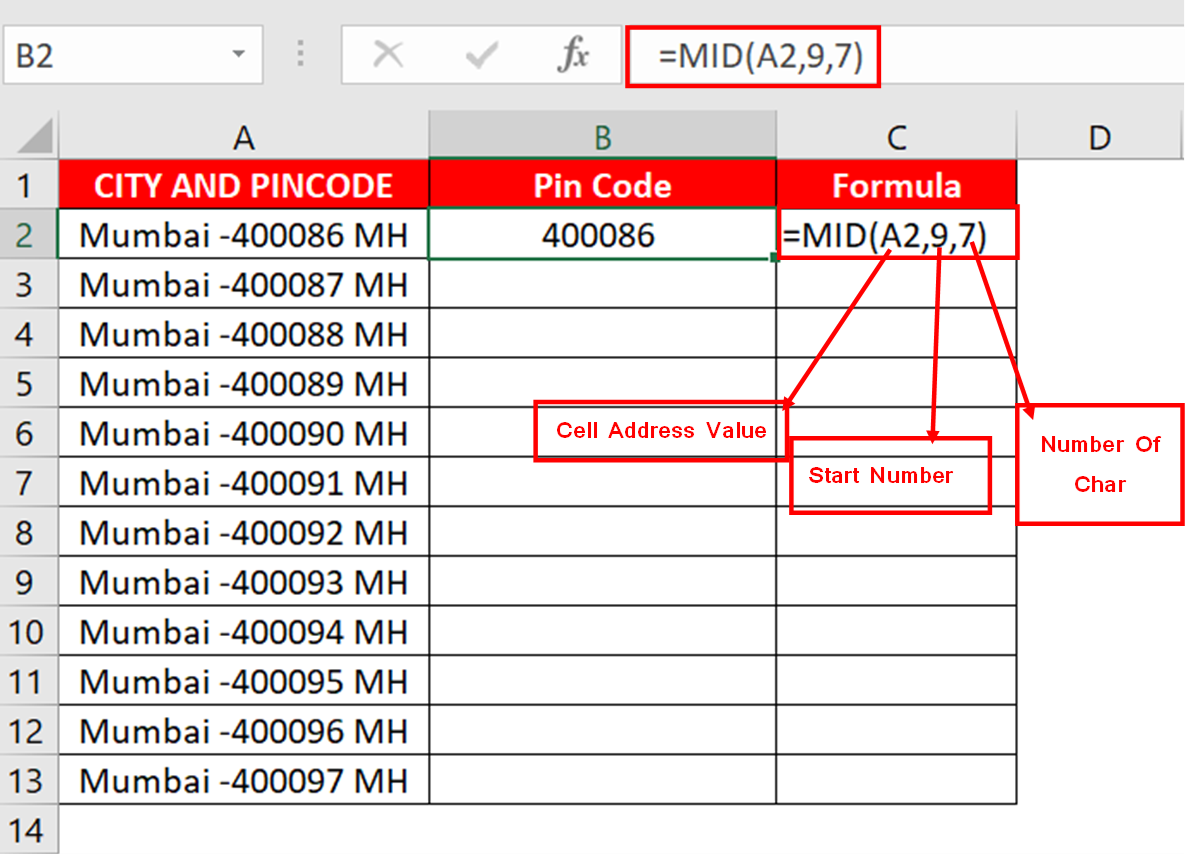
Here A2 is the address of a cell in which text data is stored and we have to split from it, 9 is the starting position from where to start text splitting, and 7 is in the last It means that this mid function will display up to 7 characters from the selected cell, in the same way the rest will also be removed.